
Proposals & Contracts
How to Add Packages to a Proposal
Choose a package collection, package, add-ons, and custom items for proposal pricing.
Proposal pricing begins with a reusable collection and package from Templates > Packages.
Open pricing for the proposal
Use Create Proposal on an expanded lead for a new proposal. For an existing draft, open Proposal and choose Edit proposal.
Choose the base offer
Choose a collection before selecting a package.
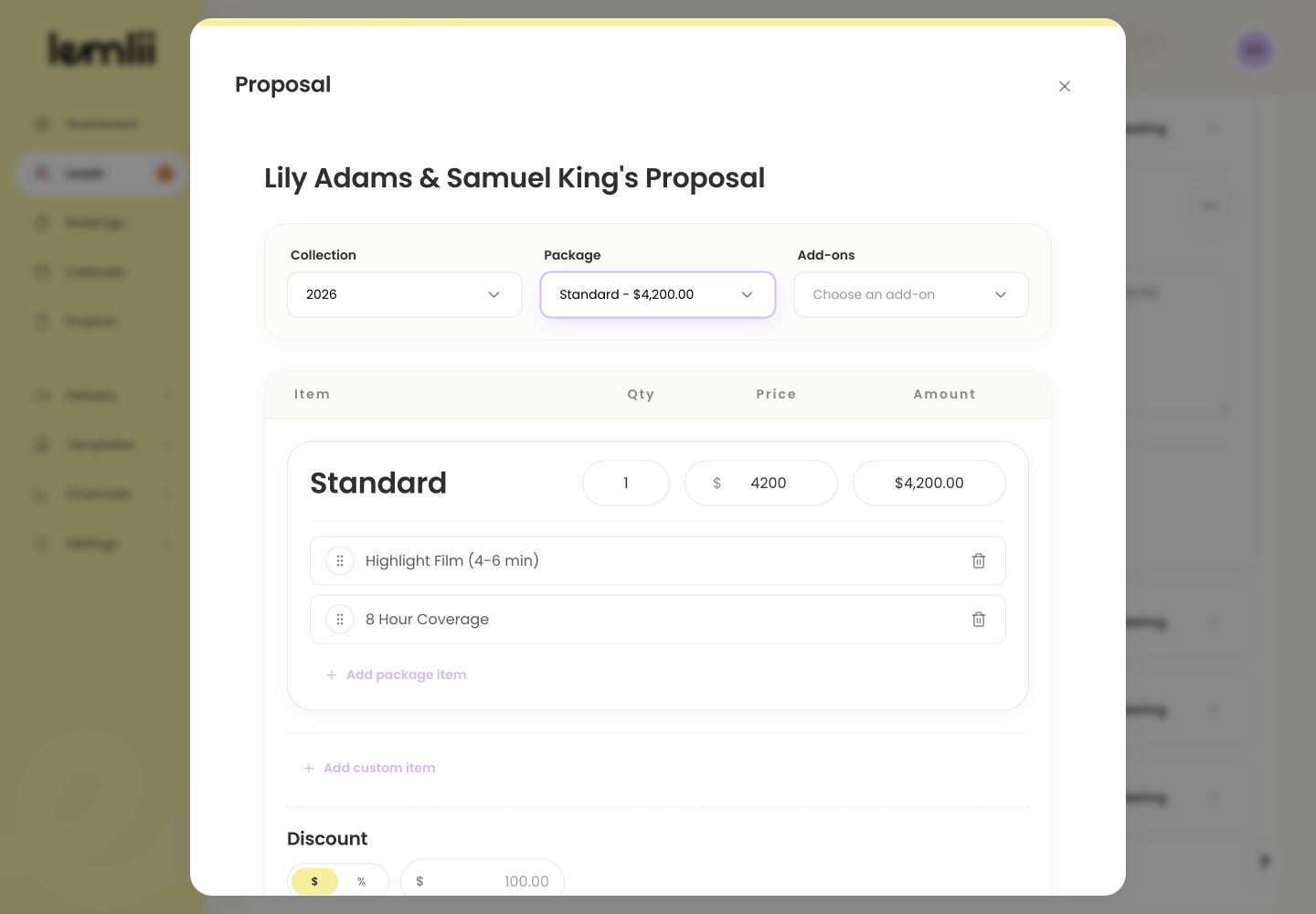
Collection, Package, and Add-ons controls - 1.
Open Collection and choose the collection.
- 2.
Open Package and choose the main offer.
- 3.
Check the package items and price.
- 1.
Customize this client’s pricing
Adjust this proposal with:
- Add-ons: optional offers already saved in the selected collection.
- Quantity or price: editable values for items that permit an adjustment.
- Add custom item: a proposal-specific charge that should not change the reusable package.
- Remove: deletes an unneeded custom row from this proposal.
Understand how collection changes affect the proposal
Changing Collection resets the package and add-ons. Choose them again, then check:
- Confirm the subtotal matches the included items.
- Review any Discount before tax.
- Review Taxes and any intentional tax override.
- Compare the final Total with the amount agreed with the client.
Compare the Investment preview with the composer
Select Next to review Investment. Return to pricing to fix any item, quantity, discount, tax, or total.
Notes
- Changing the collection resets the selected package and collection-specific add-ons.
- Use package templates for reusable pricing; proposal edits affect this proposal only.