
Projects
How Projects Connect to Bookings and Delivery Galleries
See how one confirmed job moves from booking details to editing and delivery.
Bookings stores client and event details, Projects tracks editing, and Delivery stores videos and files for clients.
Connected bookings, projects, and galleries share status updates.
One job, three connected areas
Connect the gallery to the matching booking.
Future shoots remain outside the active Projects columns until their shoot date passes.
Booking: keep the event record accurate
Keep the client name, shoot date, and booking status accurate in Bookings.
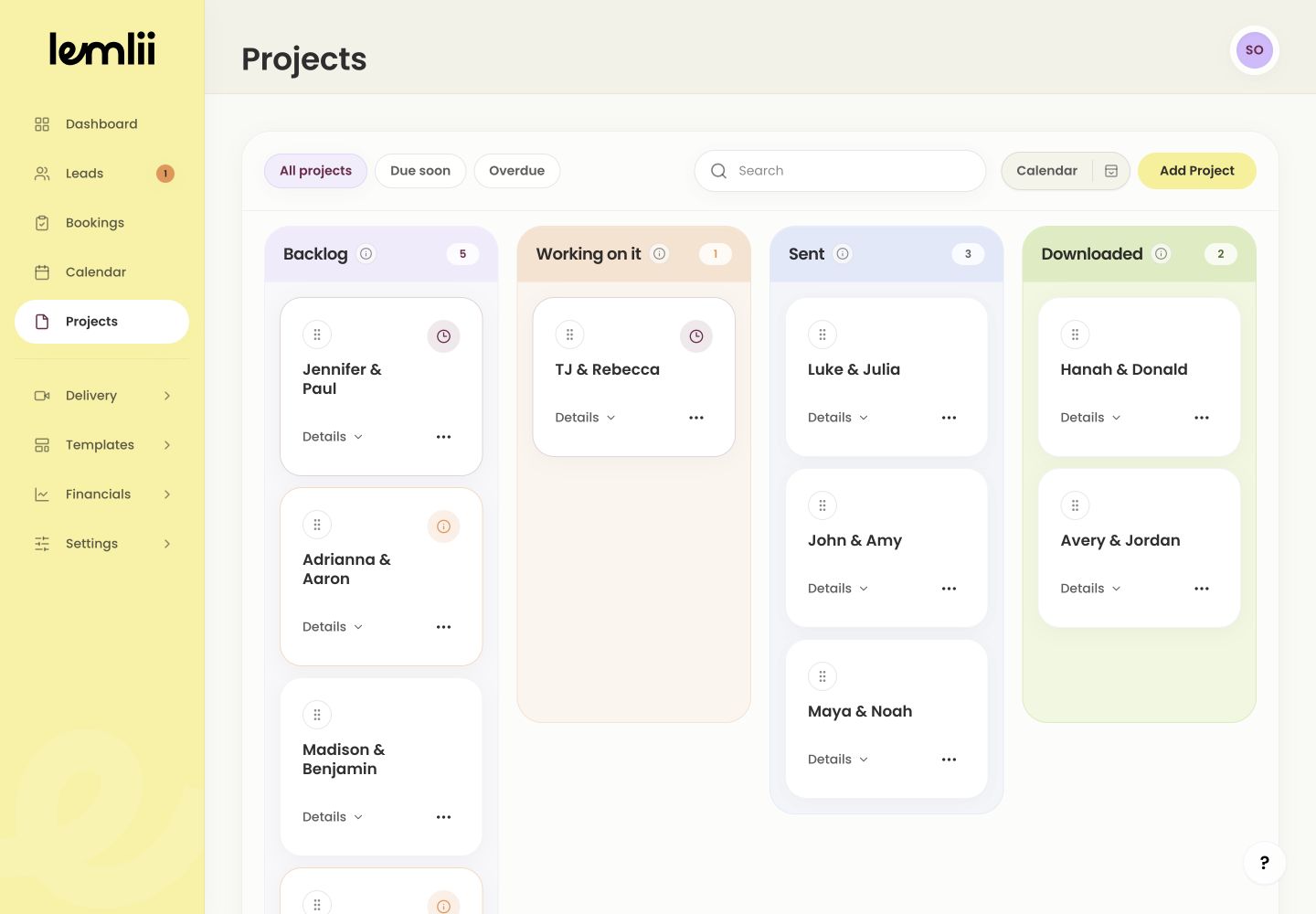
After a confirmed shoot date passes, the connected project becomes visible in Backlog.
Project: track post-production
Use Projects to move the work through Backlog and Working on it while monitoring its due date.
Connected booking, project, and gallery Delivery: prepare the client gallery
Open the client gallery in Delivery, add videos and downloadable files, and check the preview.
Sent and Downloaded
Sharing the gallery moves the project to Sent.
A client file download can move it to Downloaded, which later archives automatically.
- Removing a project changes the connected booking to Past.
- Archived or upcoming records do not appear in the four visible Projects columns.
Check progress
The project moves from Backlog to Working on it, Sent, and Downloaded.
Check that the booking, project, and gallery show the same progress.