
Leads
How to Move a Lead Into a Booking
Convert a confirmed inquiry into a wedding or other booking and open the resulting record.
Use Move to bookings when an inquiry becomes confirmed work. Lemlii updates the same client record and opens it in Bookings.
Confirm the work is ready to move
Before moving a confirmed lead, check:
- Names and primary email
- Wedding or event date
- Venue or location, when known
- Source, inquiry details, and private notes
Move the lead
Lemlii keeps the client’s details and opens the booking.
- 1.
Open Leads and expand the confirmed inquiry.
- 2.
Open the lead’s action menu.
- 3.
Select Move to bookings.
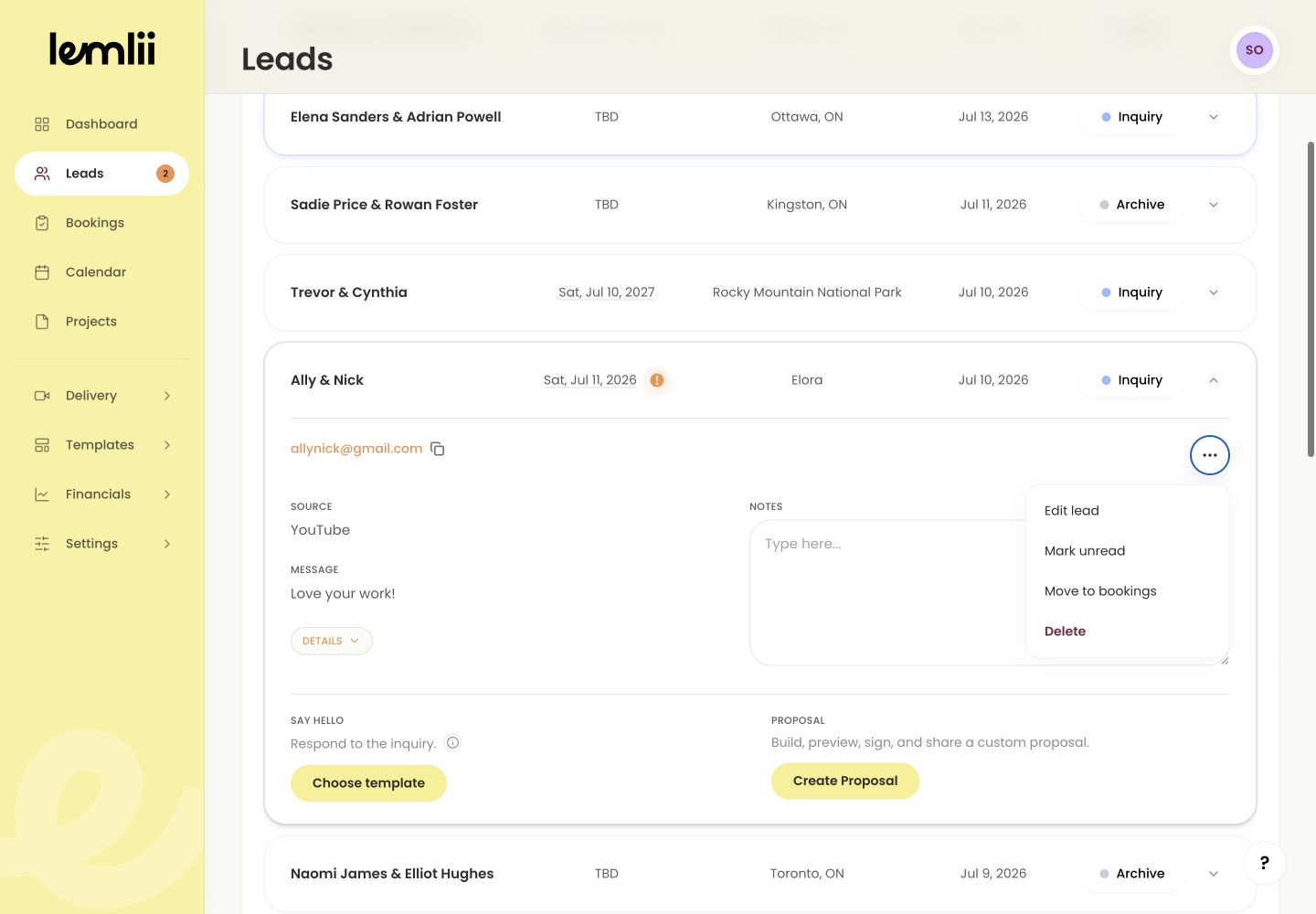
Move to bookings lead action - 4.
Wait while the action displays Moving... and the booking opens.
- 1.
Where the booking appears
A dated couple record opens under Weddings. Other records open under Other. You do not need to add the client again.
Review what carried across
The booking keeps the client’s name, contact details, event date, source, and private notes.
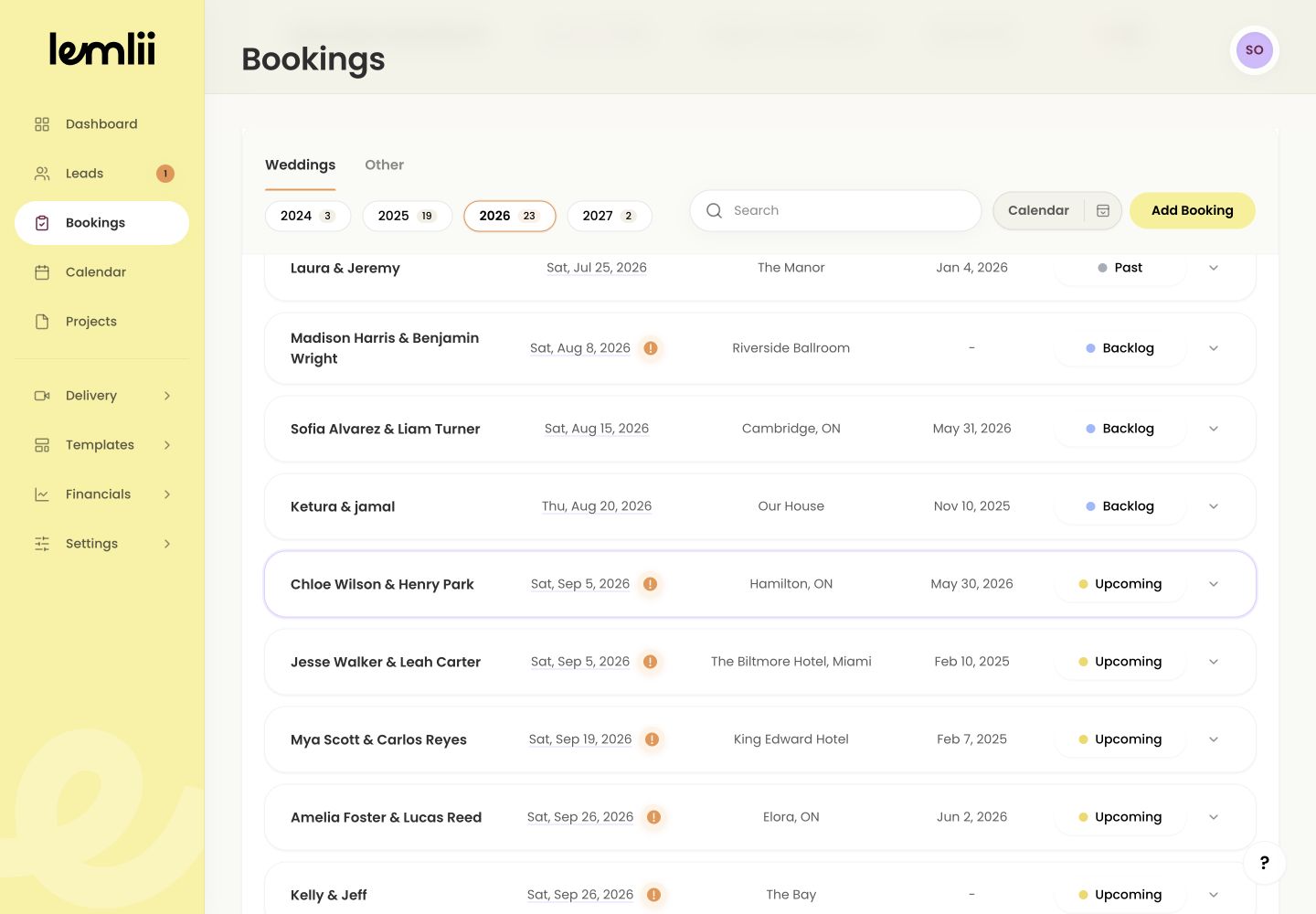
Focused booking after a lead is moved Correct the booking if needed
Use Booking actions > Edit booking or Edit job to correct client or event details.
Continue with connected work
Moving a lead does not send a message, collect payment, or create a gallery. Open the booking’s linked actions when you need them.
Notes
- The lead is marked read when moved.
- This action does not send a message, charge a payment, or create a gallery.