
Bookings
How to Add Package and Payment Details to a Booking
Add a total rate, sales tax, and dated payment schedule to a wedding booking.
A new wedding booking can start with a total, sales tax, and payment schedule. After the booking exists, use its proposal and invoice for pricing changes and received payments; those financial fields are not available in Edit booking.
Start a new wedding booking
Open Bookings > Weddings > Add Booking to enter Total rate, Sales tax, and Payment Schedule. For existing bookings, use the proposal or invoice.
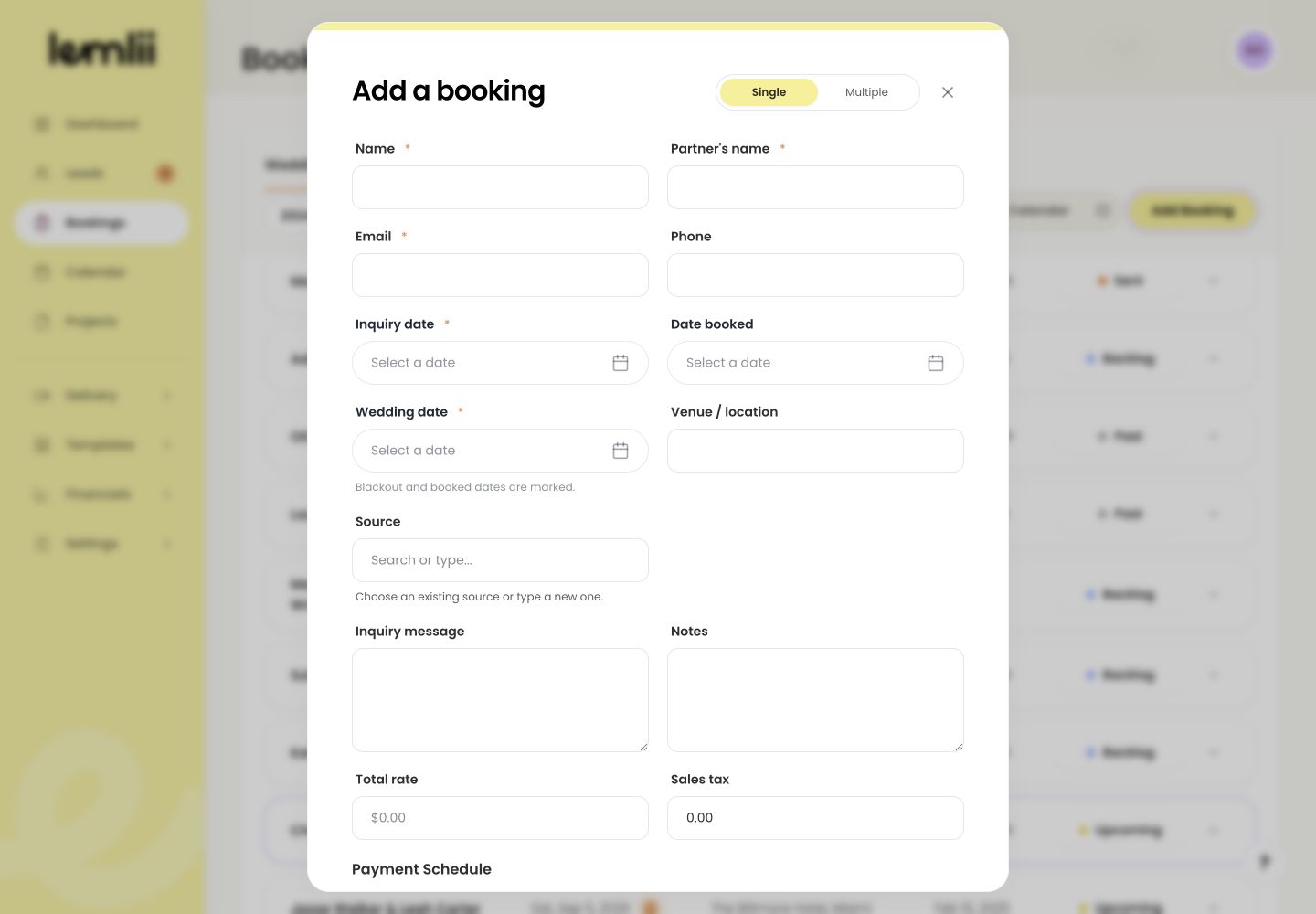
Add Booking entry point for financial details Enter the agreed total
Enter the agreed Total rate and Sales tax. Check the currency before adding instalments.
Build the payment schedule
Each instalment needs both an amount and a valid due date.
- 1.
Under Payment Schedule, enter the first amount.
- 2.
Choose its Due date.
- 3.
Select Add payment for each additional instalment.
- 4.
Repeat until the schedule matches the intended plan.
- 5.
Confirm the scheduled amounts equal Total rate plus Sales tax.
- 1.
Create the booking
Select Create booking, then expand it to see the schedule under Invoices.
Understand what was created
Scheduled payments remain unpaid until payment is recorded. There is no Paid checkbox in the new-booking form.
Record money only after it is received
When a payment arrives:
- 1.
Open the booking’s invoice.
- 2.
Select Record payment.
- 3.
Choose the matching scheduled payment.
- 4.
Enter the actual amount, payment date, and method.
- 5.
Review the invoice balance after saving.
- 1.
Notes
- There is no Paid checkbox in the new-booking form and no separate financial section in the existing booking edit form.
- Do not record a manual payment unless the money was actually received.