
Leads
How to Manage Lead Statuses
Move a lead between Inquiry, Pending, Meeting, and Archive as the conversation changes.
Lead statuses keep the Leads view organized without changing the client’s details.
What each lead status means
Choose the status that matches the conversation:
- Inquiry: a new or actively reviewed inquiry.
- Pending: a conversation that is waiting on a decision or follow-up.
- Meeting: an inquiry at the consultation or meeting stage.
- Archive: an inactive inquiry that should leave working views but remain available.
Find the correct lead
Open Leads and use Search or the All, Inquiry, Pending, Meeting, and Archive tabs to find the client.
Update the lead status
Status changes save immediately.
- 1.
Locate the current status pill in the lead row.
- 2.
Select the pill to open the available stages.
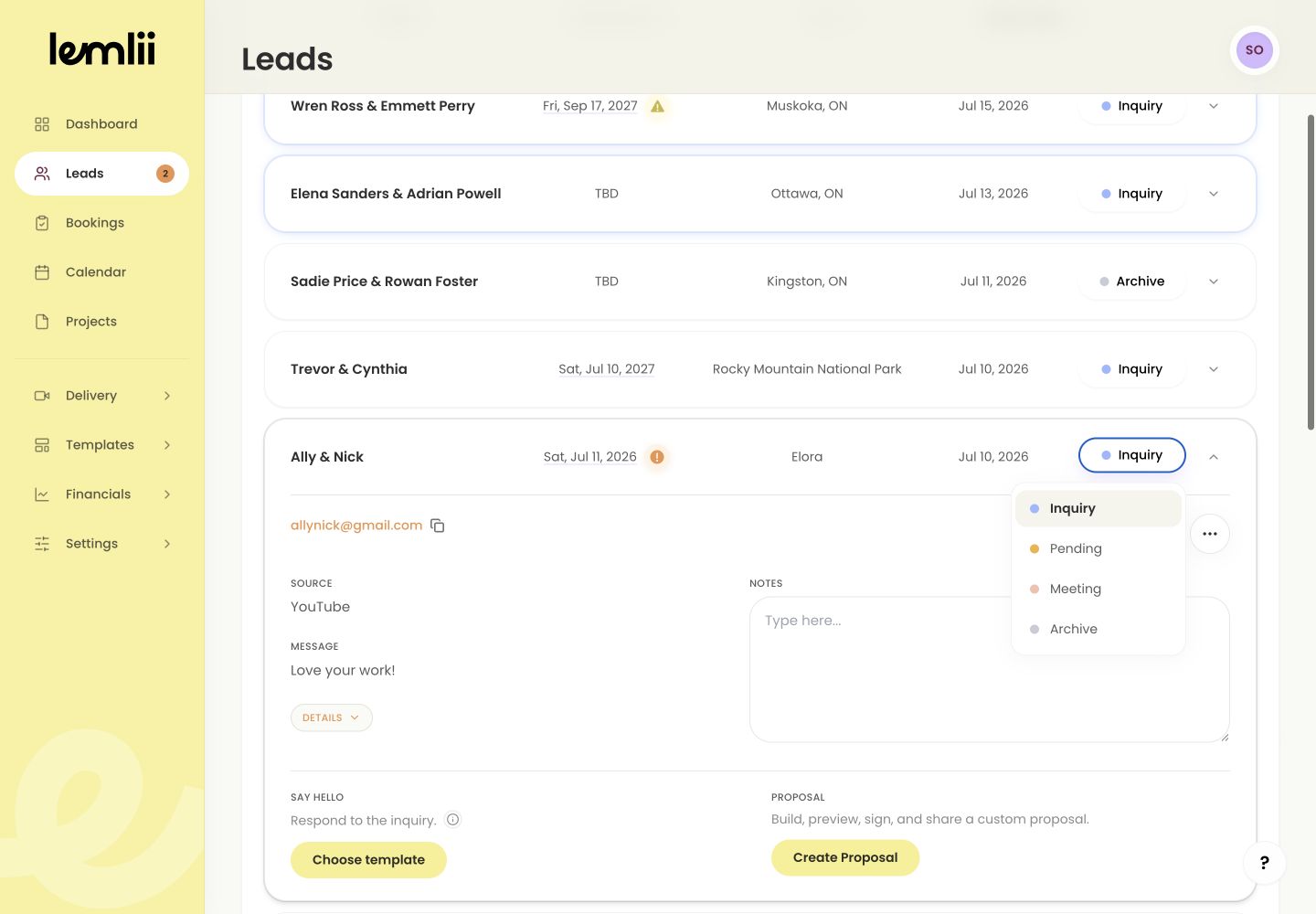
Lead status menu - 3.
Choose Inquiry, Pending, Meeting, or Archive.
- 4.
Open the destination tab and confirm the same lead appears there.
- 1.
What a status change does
Changing status marks a new lead as read. Its contact details, message, source, and private notes stay with it.
What a status change does not do
Changing status does not create a booking, proposal, invoice, payment, or message.
When the inquiry becomes confirmed work
Use Move to bookings when the client confirms the work.
Notes
- Changing status marks a new lead as read.
- Use Move to bookings for confirmed work instead of choosing a lead status.