
Leads
How to Archive a Lead
Move an inactive inquiry to Archive without deleting its client history.
Archiving removes an inactive inquiry from the working lead tabs while keeping it available under Archive.
When to archive a lead
Archive inquiries you no longer need in active views but want to keep for reference.
Archive the inquiry
The status change saves immediately and removes the row from its active status tab.
- 1.
Open Leads and find the inquiry with a status tab or Search.
- 2.
Select the lead’s current status pill.
- 3.
Choose Archive.
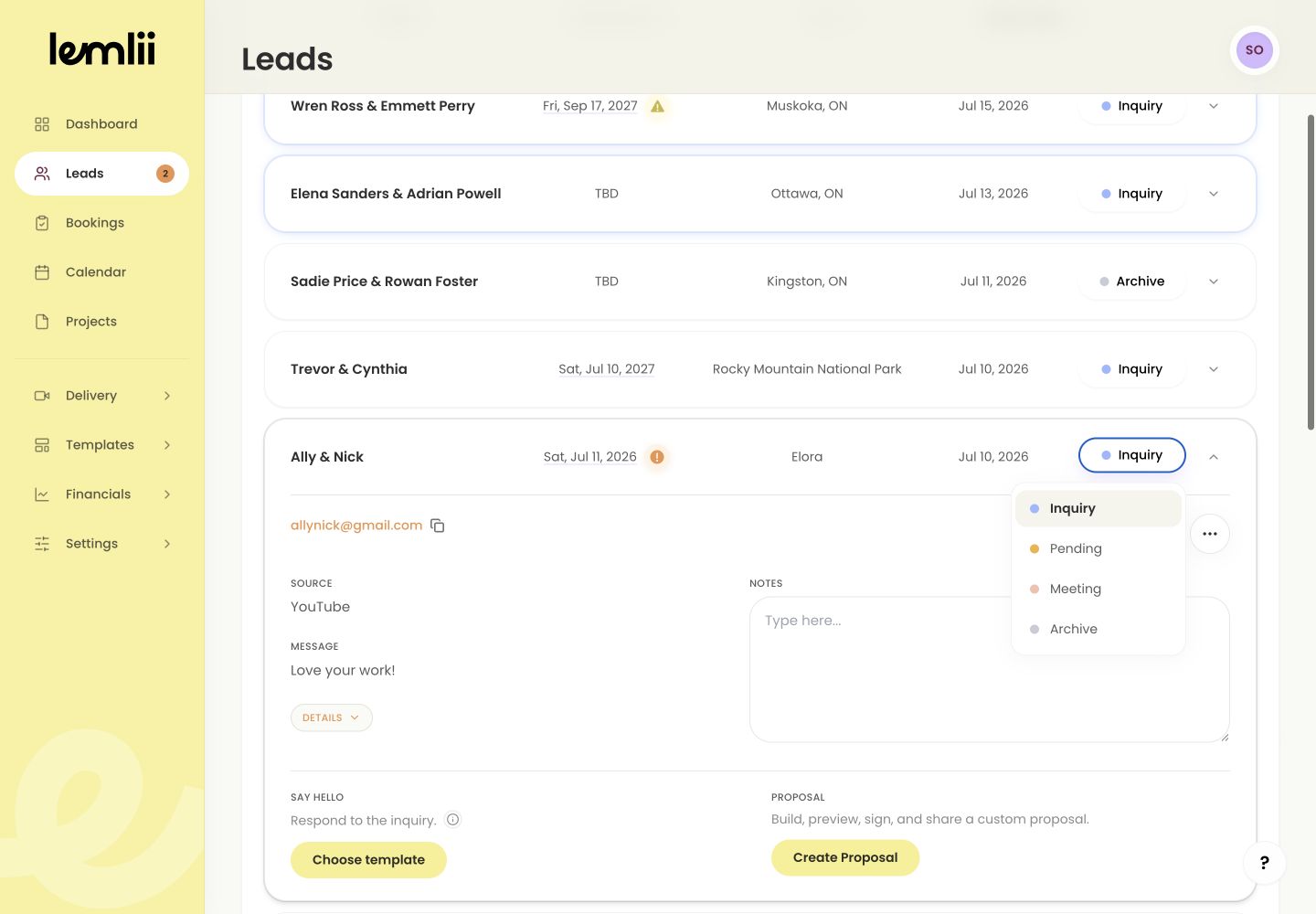
Archive option in lead status menu - 4.
Open the Archive tab and confirm the record is still available.
- 1.
What remains with an archived lead
Archiving keeps:
- Contact details and event information
- The original inquiry message and source
- Private notes and saved context
- The status control used to restore the lead
Restore a lead
To restart the conversation:
- 1.
Open the Archive tab.
- 2.
Find the lead and open its status pill.
- 3.
Choose Inquiry, Pending, or Meeting.
- 4.
Open that destination tab and confirm the lead appears with its information intact.
- 1.
Archive is not Delete
Delete permanently removes the lead. Use Archive if you want to keep its history.
Notes
- Archive is reversible and is preferable to deleting client history.
- Archived leads do not belong in Bookings unless they are explicitly moved back into a booking workflow.