
Getting Started
Help Center Glossary: Leads, Bookings, Projects, Galleries, Invoices
Understand the core Lemlii terms used throughout client and business workflows.
These terms describe different stages or records in Lemlii. One client can connect to several of them as work progresses.
Where these records live
Use the left navigation to open each area.
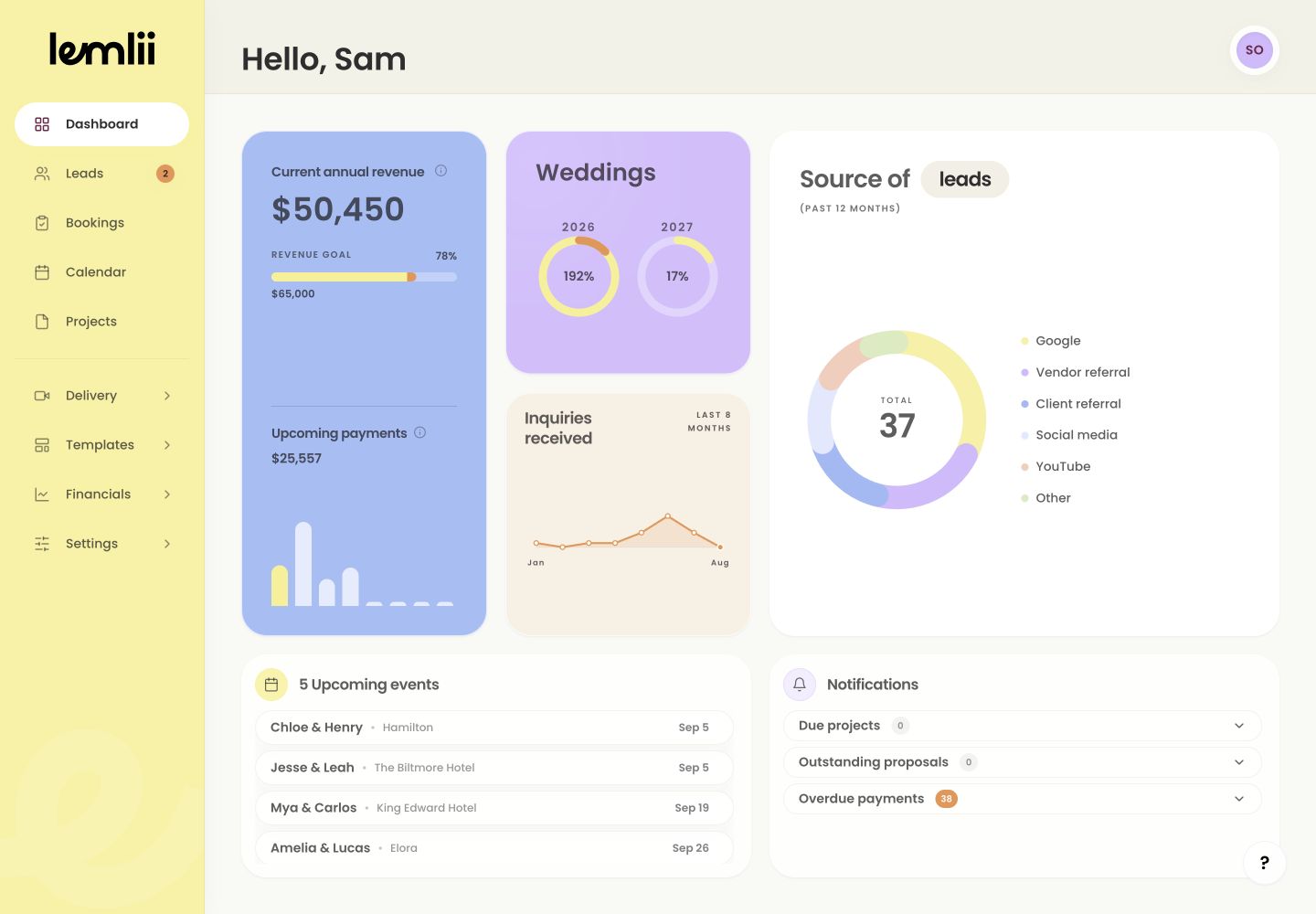
Workspace areas referenced in the glossary Lead
A Lead is an inquiry that has not yet become confirmed work. The Inquiry, Pending, and Meeting statuses organize the conversation; Archive keeps inactive inquiries out of working views without deleting their history.
Booking
A Booking is confirmed work. Wedding bookings live under Weddings, while non-wedding work lives under Other. Booking statuses describe where the work sits from the event date through editing, delivery, past work, and archive.
Project
A Project tracks editing progress, status, and due dates. It stays linked to the booking.
Delivery Gallery
A Delivery Gallery is the client-facing collection used to view, download, and share finished videos. Creating a gallery prepares the destination; it does not automatically send the gallery link.
Proposal and contract
A Proposal brings together client details, package pricing, payment schedule, contract text, and signatures. The Contract is the agreement contained in that proposal and can also be accessed through its connected booking.
Invoice
An Invoice records an amount due, its payment schedule, and received payments. When Stripe is connected and Accept credit card is enabled, the client can also be offered card payment on the client-facing invoice or proposal.
How connected records appear
Expand a booking to access its contract, questionnaire, invoices, gallery, and other linked work.
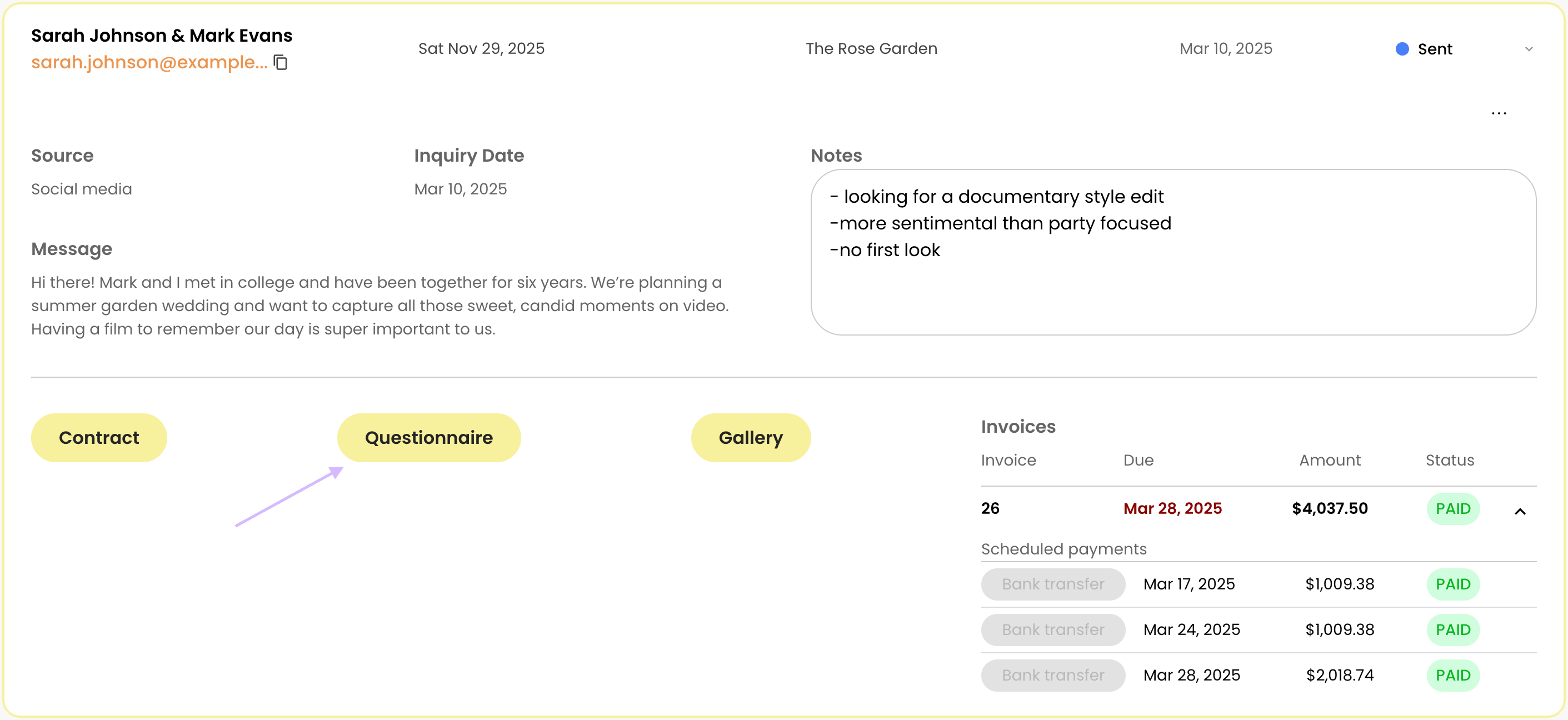
Connected records in an expanded booking Calendar and blackout
Calendar shows your events. A Blackout records a date or repeating period when you are unavailable and can trigger availability warnings; it does not cancel an existing booking.
Notes
- Changing a lead to a booking is a workflow transition, not a separate client record.
- Deleting is different from archiving; use archive statuses when the record should remain available for history.