Dashboard
Understanding the Dashboard
Use the Dashboard to review your goals, inquiries, upcoming work, and items needing attention.
The Dashboard shows your revenue, goals, inquiries, upcoming work, and items that need attention.
What the Dashboard is for
Use the cards to see what needs attention. Select a linked row or card to open its details.
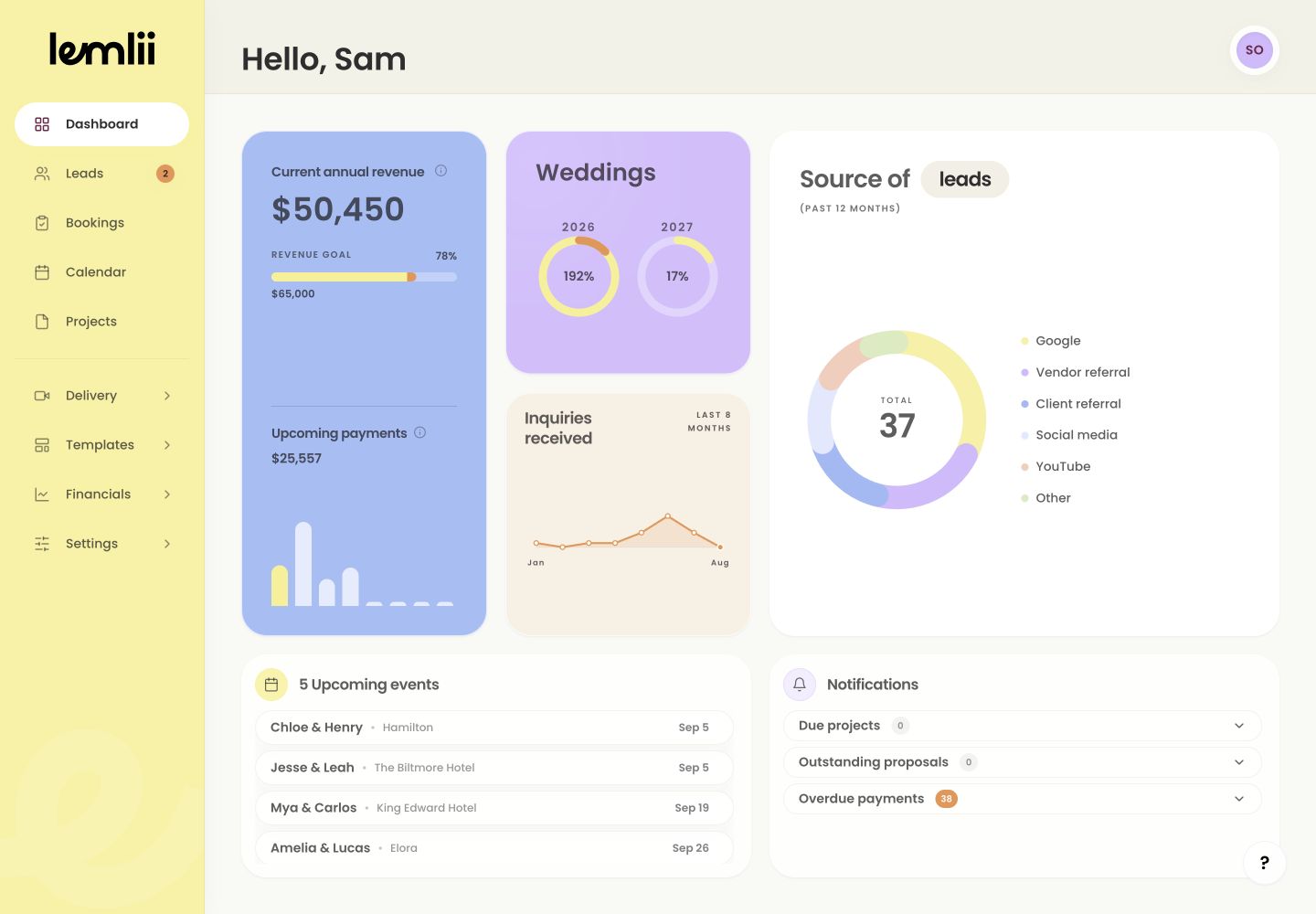
Full Dashboard overview Money and goals
The top cards show:
- Current annual revenue: recorded revenue for the year, excluding sales tax.
- Revenue goal: progress toward the amount you have set.
- Upcoming payments: scheduled receivables that have not reached their due date.
- Weddings: the booked wedding count compared with the goal for each year.
Inquiry performance
Lead conversion compares inquiries and bookings by year. Inquiries received shows the last eight months, and Source of leads / bookings compares sources over the past 12 months.
Upcoming events
This list shows the next 30 days. Select an event to open its booking.
Use the lower action cards
Select an Upcoming events row to open a booking. Select a Notifications row to open the project, proposal, invoice, or payment that needs attention.
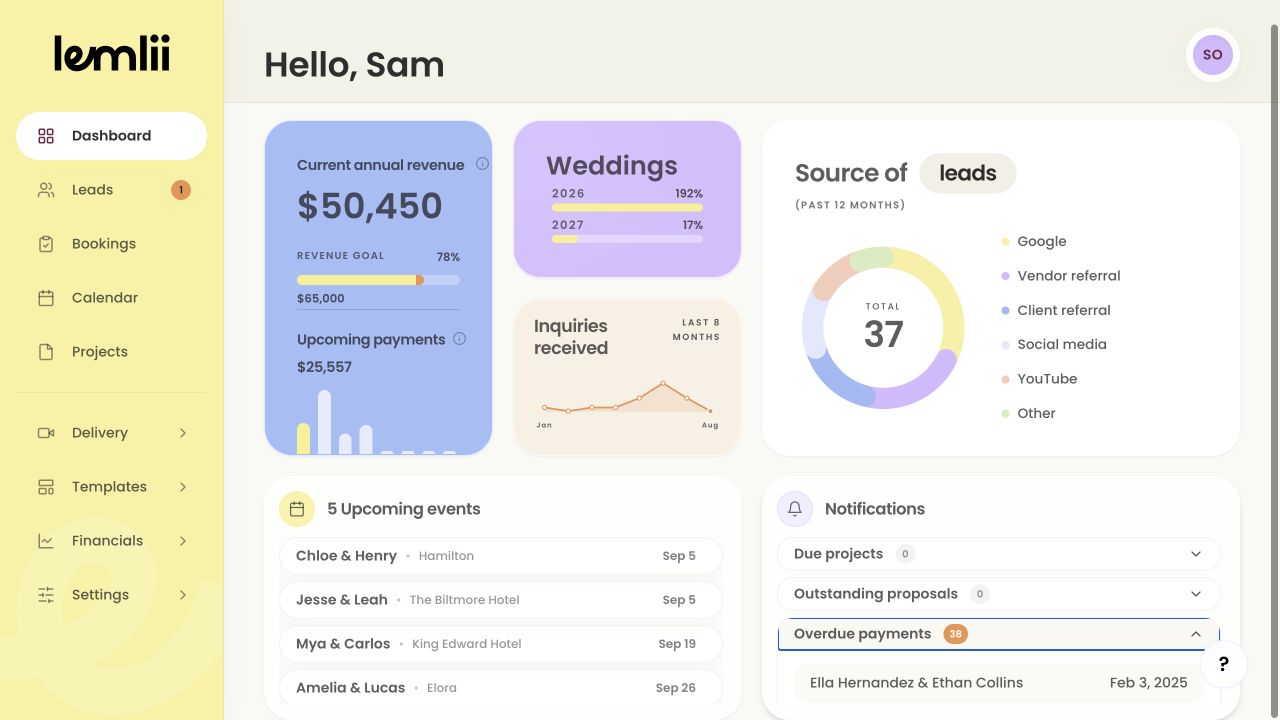
Dashboard events and notification actions Notifications that need action
- 1.
Expand Due projects, Outstanding proposals, or Overdue payments.
- 2.
Select the relevant row to open the matching project, proposal, invoice, or payment.
- 3.
Complete the work in that record’s own area.
- 4.
Return to Dashboard and confirm the count or row changed as expected.
- 1.
Empty and unexpected states
An empty card means there are no matching records. If a total looks wrong, open the linked record to check its details.
Notes
- New workspaces may also show Workspace setup until its tasks are complete.
- Dashboard totals are only as current as the leads, bookings, invoices, payments, and expenses recorded in Lemlii.