
Bookings
How Bookings Connect to Projects, Invoices, and Galleries
Use an expanded booking as the hub for production, invoicing, questionnaires, contracts, and delivery.
Expand a booking to access its projects, invoices, contracts, questionnaires, and galleries.
The expanded booking is the client hub
Expand a wedding or other job in Bookings to see its details, notes, invoices, and linked actions.
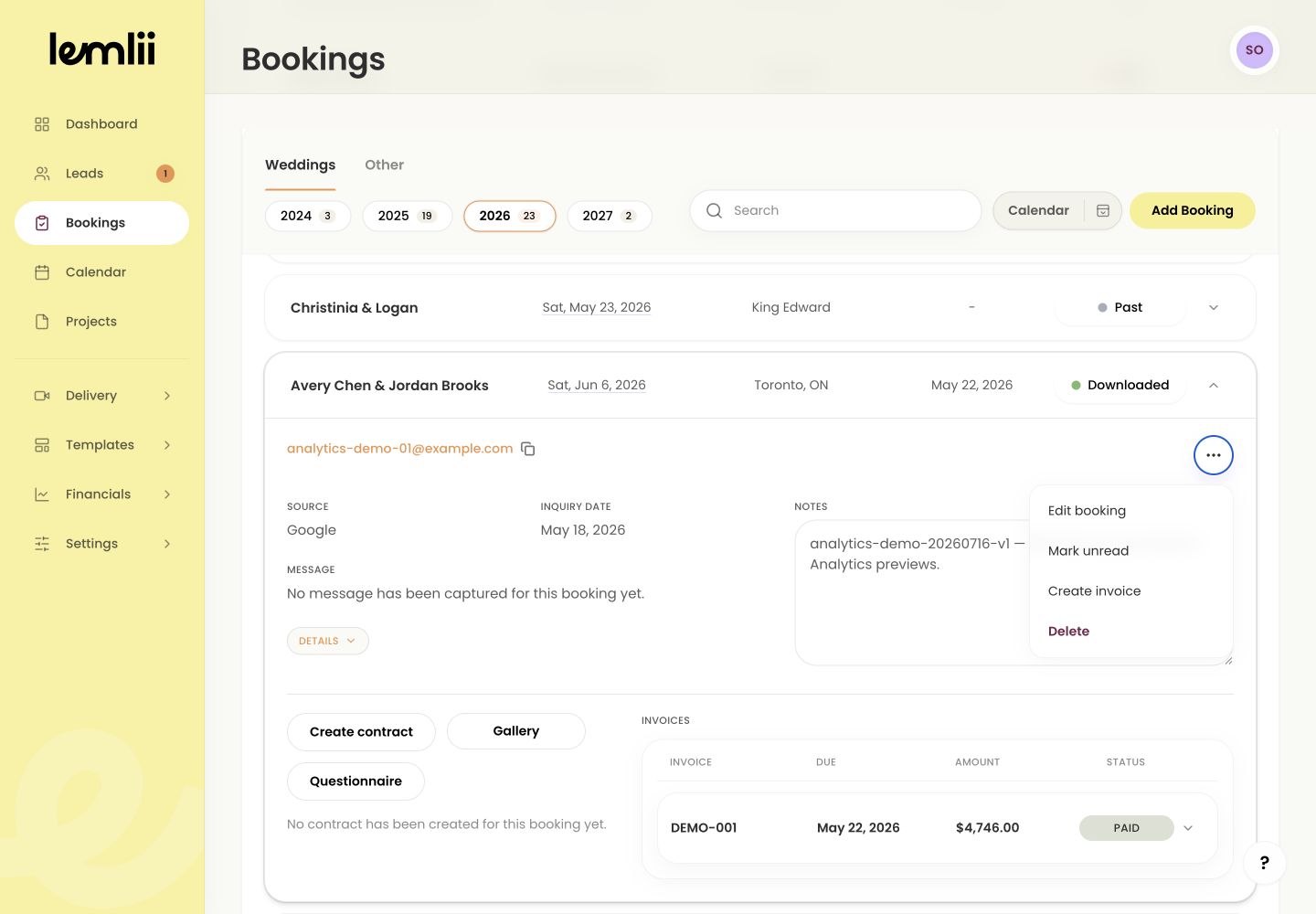
Expanded booking workflow actions and invoices Contracts
For weddings, select Create contract. Once it exists, you can use Edit contract, Open contract, or Copy contract link. Send the link separately.
Questionnaires
Use Questionnaire to open the client’s questions and responses. Keep private notes in the booking.
Invoices and payments
Use Booking actions > Create invoice for a new invoice. Open existing invoices under Invoices to review or record payments.
Projects
Open Projects to manage editing progress, due dates, and production status.
Delivery galleries
Select Create gallery to set up delivery. After creating it, use Edit gallery, Open gallery, or Copy gallery link.
After creating a contract or gallery
After creating a contract or gallery, its Create action changes to open, edit, and copy-link actions. You still need to send the link to the client.
Notes
- Creating a gallery opens Delivery with the booking already selected.
- These actions create or open connected records; they do not automatically send a client-facing link.