
Bookings
How to Archive or Update a Booking
Edit a booking’s details or archive it while preserving its history.
Edit a booking to correct its details, or archive it to keep it out of active views.
Decide between Edit and Archive
Use Edit booking or Edit job to change details. Use Archive to remove a booking from active views and keep its history.
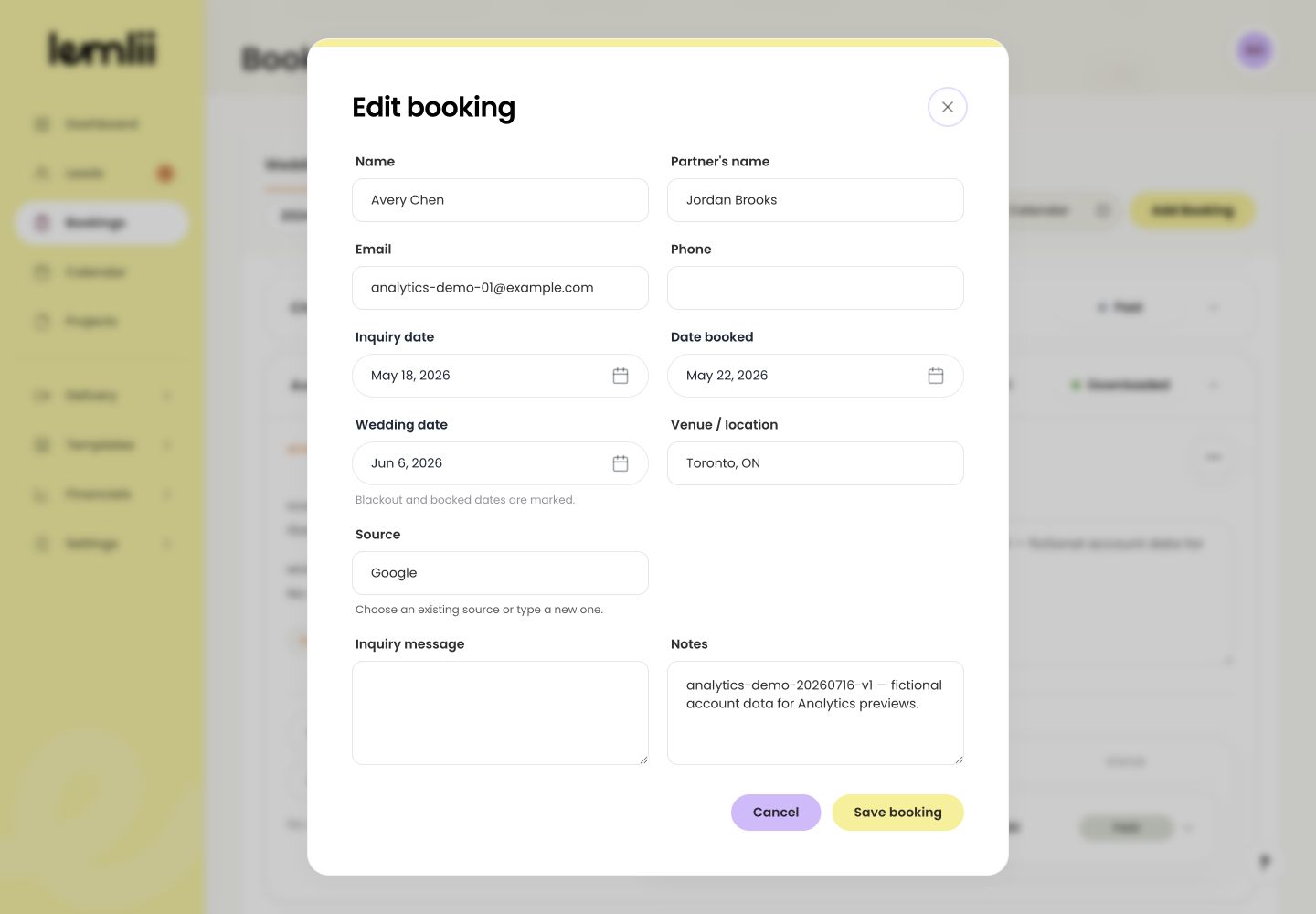
Booking actions and Archive status Update booking details
- 1.
Open Bookings and expand the wedding or other job.
- 2.
Choose Booking actions > Edit booking or Edit job.
- 3.
Correct the relevant client or event information.
- 4.
Select Save booking or Save job.
- 5.
Confirm the saved fields in the booking row.
- 1.
Archive inactive work
Choose Archive from the booking’s status menu. Its notes, invoices, and linked work stay available.
Restore an archived booking
Open the archived booking’s status menu and choose an active stage.
Use Delete only for permanent removal
To permanently remove a booking, select Booking actions > Delete and confirm the warning. Financial activity may limit editing or deletion.
Find the archived booking
Archived bookings keep their notes and linked records. Change the status to restore the booking.
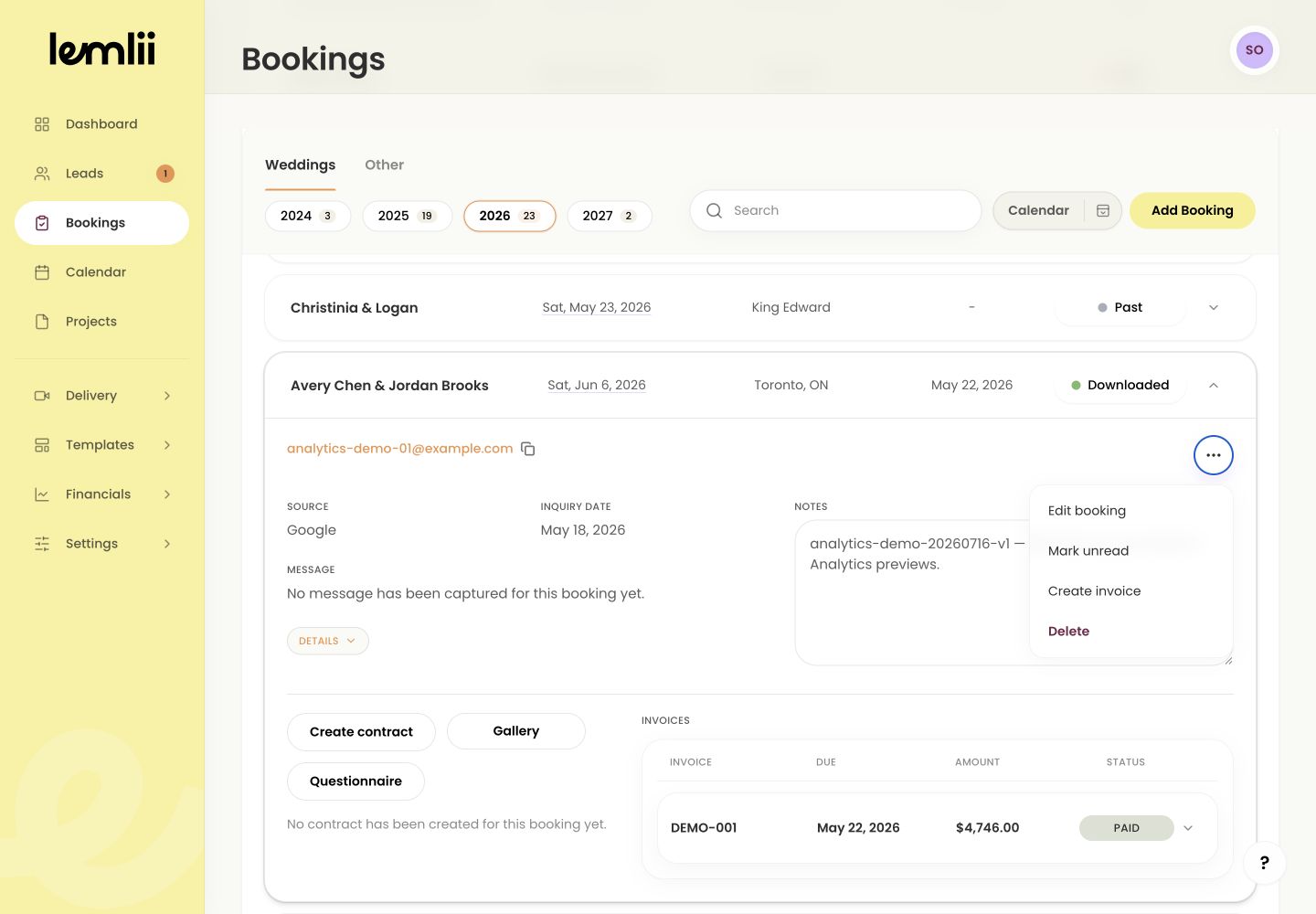
Archived booking with connections preserved
Notes
- Delete cannot be undone and is not a substitute for archiving.
- Financial activity may restrict edits or deletion to preserve payment history.