
Proposals & Contracts
How to Update a Proposal Before Sending
Edit draft proposal pricing, payment dates, contract text, and client details before sharing.
A proposal can be reopened from its lead and corrected before the link is sent.
Reopen the proposal editor
- 1.
Open Leads and expand the client.
- 2.
Open the Proposal actions.
- 3.
Choose Edit proposal.
- 4.
Read any warning that appears before changing a signed proposal.
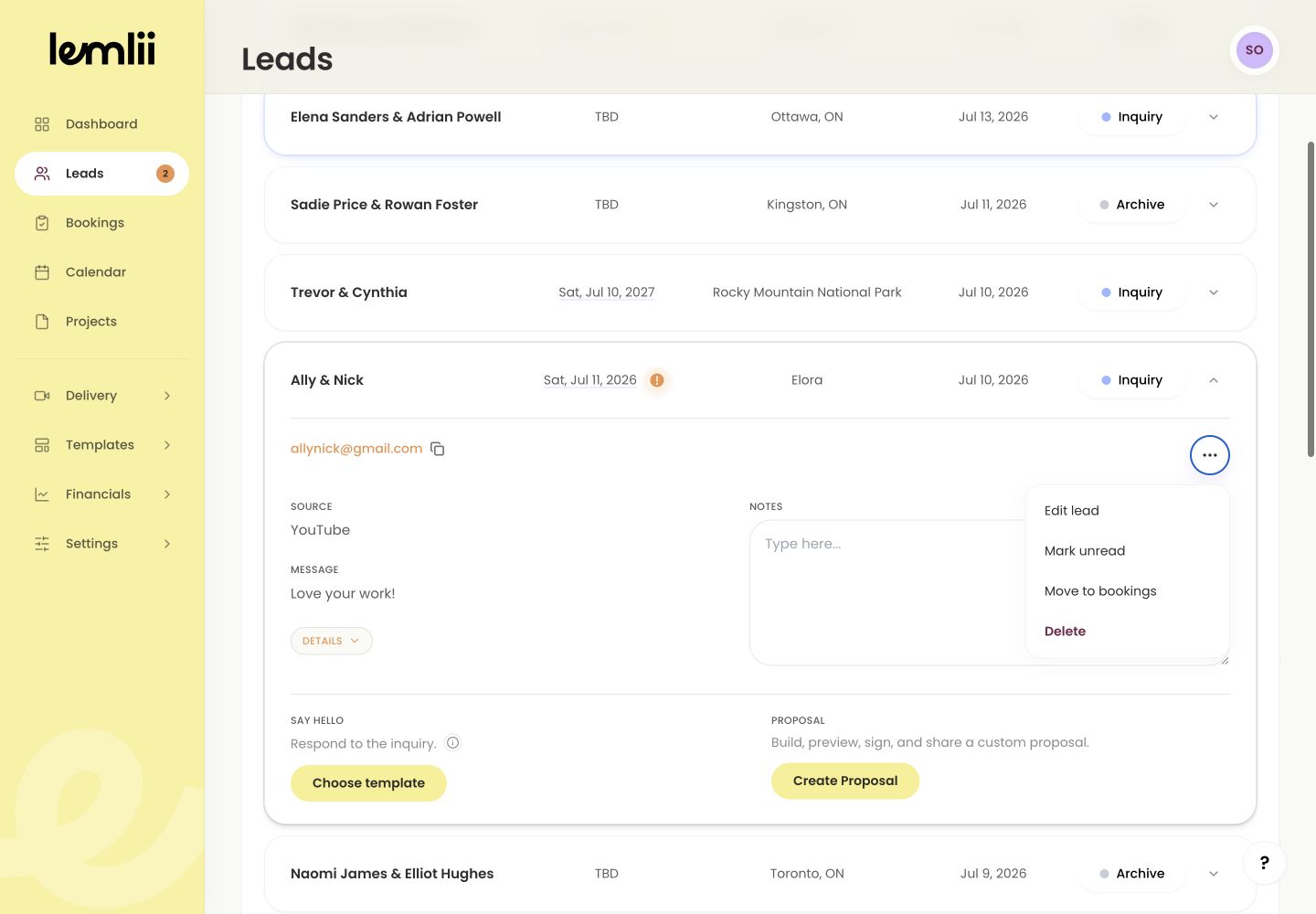
Edit client-facing proposal action - 1.
Choose the part that needs correction
Choose where to edit:
- Pricing composer: collection, package, add-ons, custom items, quantities, prices, discount, and tax.
- Proposal Preview: client and wedding information, payment amounts and due dates, and the card-payment choice.
- Contract editor: wording that applies only to this client’s agreement.
Update the pricing
Changing the collection resets the package and add-ons. Select them again before continuing.
- 1.
Make the required pricing change.
- 2.
Review every remaining item, quantity, and price.
- 3.
Confirm the discount, taxes, and new total.
- 4.
Select Next to open Proposal Preview.
- 1.
Review details, payments, and contract terms
Check Proposal Preview after editing. To change this client’s terms, select Edit in the Contract section, then Save contract.
- Client names and event information are current.
- Scheduled payments add up to the revised total.
- Due dates are valid and in the intended order.
- Accept credit card matches the intended payment experience.
- The contract still agrees with the investment and payment schedule.
Understand the safeguards on existing payments
Paid or collected payment rows are locked. The revised total cannot be less than the amount already collected.
Complete the revised proposal
Enter the business signature, select Complete, and open the link to check your changes. If the proposal was already signed, the client must sign again.
Notes
- Paid or collected payment rows are locked.
- If the proposal is already signed, Lemlii shows Signed proposal and requires confirmation because the client must re-sign the revised version.